
All projects
Dash Cart · Project overview

Clarity for the people behind every cart.

Fleet-management workflows, operational alerts, and cart setup across handheld and web tools.

View designs in Figma
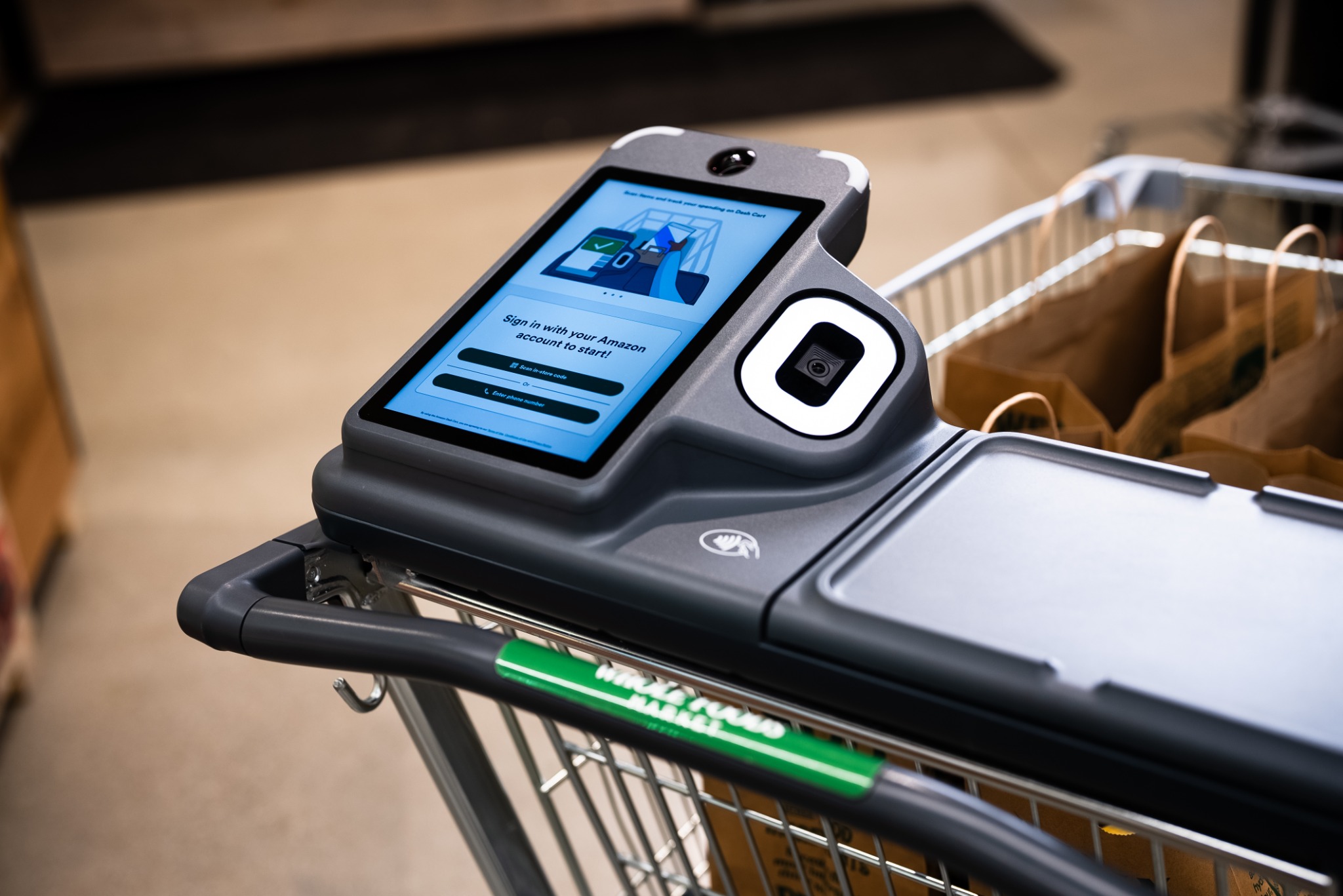
Close-up of a Dash Cart touchscreen, scanner, handle and shopping bags
Amazon Dash CartThe shopping experience behind the operations.
Role
UX Designer
Platforms
Handheld & web
Focus
Operational workflows
Meet the product

What is Dash Cart?

Amazon Dash Cart is a smart grocery cart with a built-in touchscreen. It helps shoppers keep track of their basket and spending as they shop.

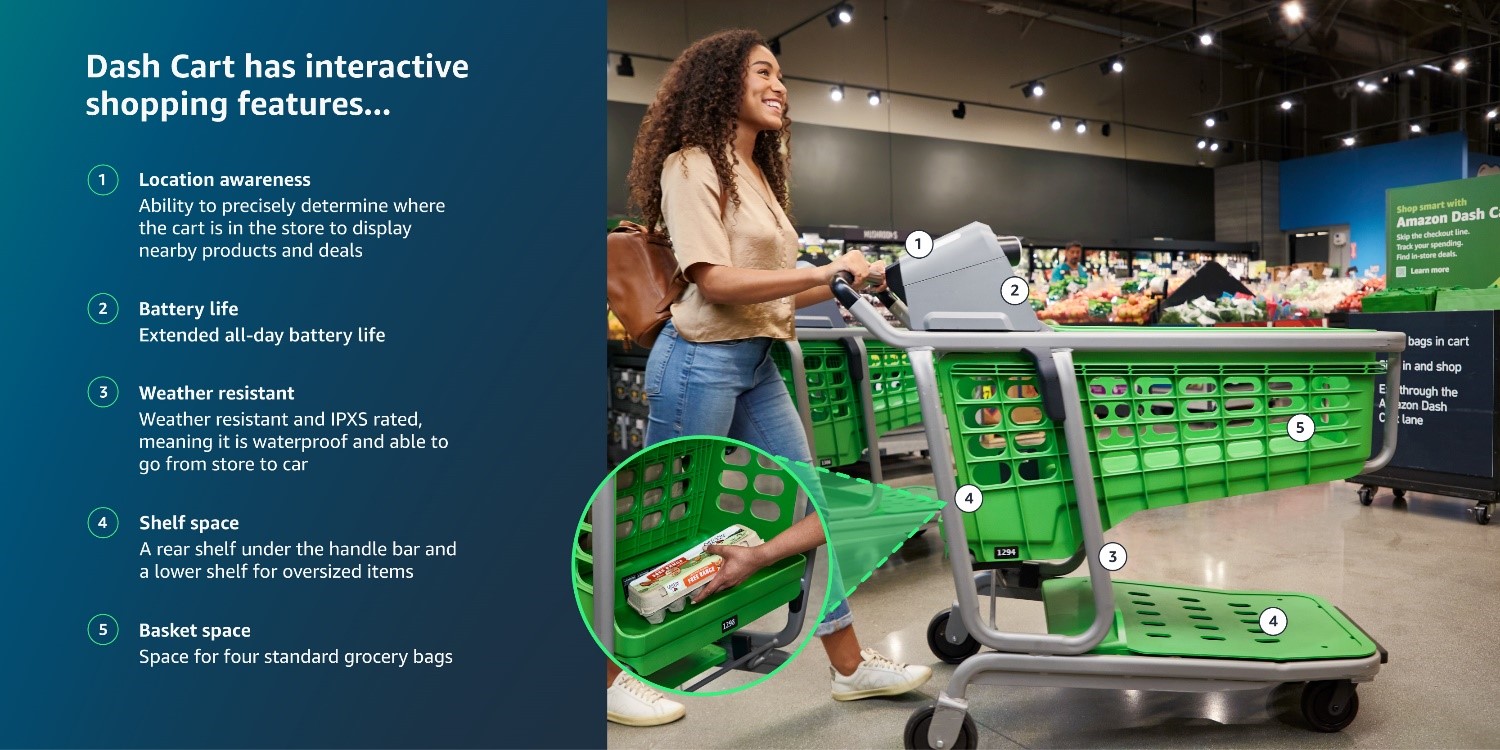
Dash Cart in a grocery store, with five features identified: location awareness, battery life, weather resistance, shelf space and basket capacity
Dash Cart product features. Reference image supplied for this case study.
01 / Overview

Dash Cart · Fleet Management

I worked on the Fleet Management System supporting Amazon Dash Cart operations. My design work covered cart status, battery and temperature alerts, checkout-zone setup, store maps, and calibration workflows.

02 / The challenge

Make complexity easier to navigate.

The system needed to communicate several kinds of operational information: whether a cart was ready, what needed attention, and how to complete setup and calibration tasks. My focus was on making that information clear within the tools store associates used.

03 / My contribution

From flows to detailed interfaces.

I created user flows and interactive Figma prototypes, refined interface hierarchy and reusable patterns, and worked with product managers, engineers, and QA to carry the design into implementation.

04 / Design focus

Where I focused the work.

01

Make operational status easy to read.

For low-battery warnings and cart-status screens, I worked on visual alerts and information hierarchy across handheld and web views. The design focus was to make the cart’s condition and the information needing attention easier to distinguish.

02

Give setup a clear sequence.

I designed checkout-zone setup flows using the Double Diamond process and updated store-map designs with consistent iconography. This work focused on making zone mapping and cart onboarding easier to follow.

03

Bring clarity to calibration and exceptions.

I updated calibration and validation screens using validation logs and partner feedback. Clear visual indicators helped communicate device state. I also designed alerts for temperature warnings and out-of-service conditions.

05 / Collaboration

Designing with the team.

Usability testing and partner feedback informed iterations on fleet-management workflows. I collaborated through Agile sprints and worked with engineering and QA on cross-device checks, interaction behavior, and UI consistency.

06 / Deliverables

What I contributed.

  • Handheld and web fleet-management interface designs
  • Low-battery, temperature, and out-of-service alert patterns
  • Checkout-zone setup flows and store-map updates
  • Calibration and validation screen refinements